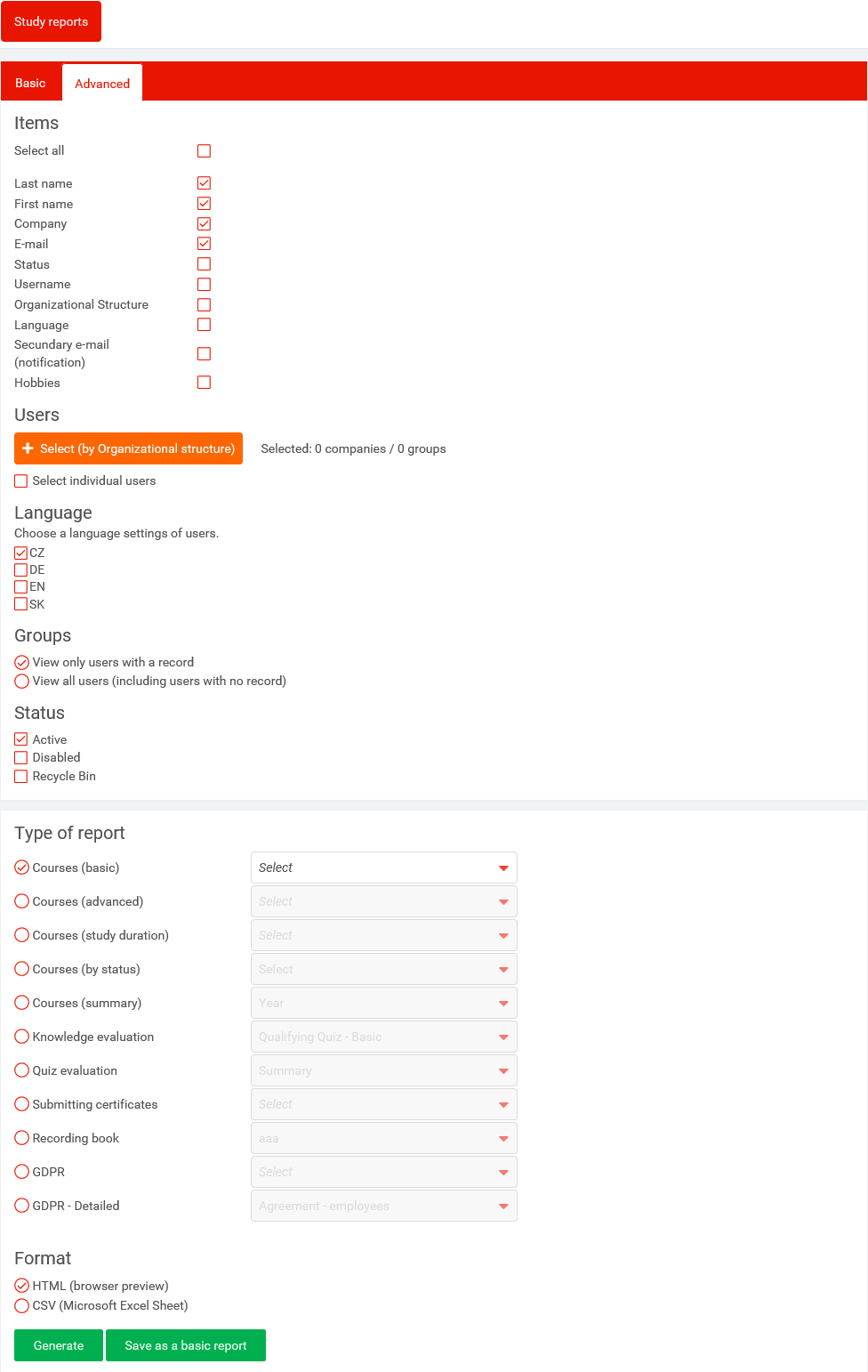
which items will be displayed (by clicking on checkbox). It is necessary to choose at least one item
report's type
Courses (basic) - summary of students, who have been assigned specific course
Courses (advanced) - summary of students, courses and their states (EXP - expired, I - incomplete, NS - not started), completion date and validity date (if the period is set)
Courses (study duration) - summary of courses and study duration for selected students
Courses (by status) - summary of students and courses by states (expired, incomplete, not started, finished, blocked)
Courses (summary) - monthly or yearly report of number of completions of all courses for selected groups of users
Knowledge evaluation - this type of report is available only for courses with final test
Basic - Number of attempts and success rate (percent)
Detailed - an detailed overview of questions which have been asked and user's responses
Detailed (pools) - the same as Detailed report + it displays name of the pool
SCORM 2004 - Basic - this report displays user's responses but only for a course that is created in SCORM 2004 format
SCORM 2004 - Detailed - this report displays user's responses but only for a course that is created in SCORM 2004 format
Quiz evaluation - the type of this report is allowed only for courses with quiz
Detailed - it displays all questions from quiz and
Summary - complete summary of all quizzes (average count of attempts, count of studying, required success rate)
Recording book - special type of report. It is available only if Slovak mandatory course are being used
file format (HTML - not possible to edit values, CSV)
With button Select (by organizational structure) you can pick users for study reports. It is possible to select groups or companies and groups of companies (depending on the system configuration).
Groups of companies are blue, companies are green and groups are pink.
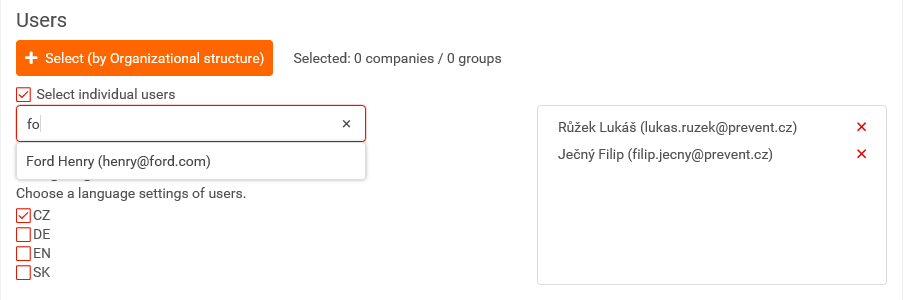
You can use the Select Individual Users feature to select a small amount of users. Users are chosen by name or e-mail. Automatic refilling works here, see Fig.
The selected users appears in the right box.
You can choose following on the tab Advanced:
items which will be displayed on the report
users (groups, companies, single user)
user's language
user's status
report's format (CSV, HTML)
button Save as a default report save the current option as basic report